
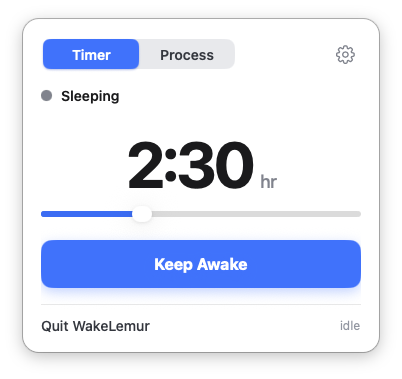
Timer mode
Set a duration when you just need the Mac awake for a meeting, download, or focused block — same simple slider you expect from a keep-awake utility.
Keep your Mac awake — until the work is actually done.
Watch a process, not a clock
A tiny menu-bar app that keeps your Mac awake — by the clock, or until a process you care about finishes its work. Point it at your build, training run, render, or AI session; it stays awake while the work is busy, then sleeps moments after it goes idle.
Download for macOS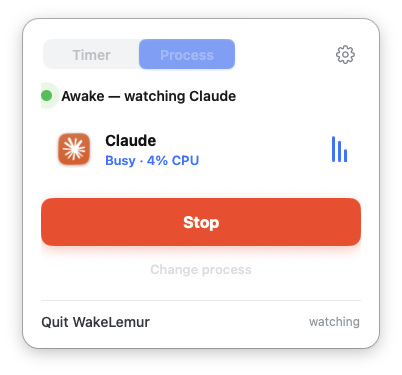
Use a timer when you know how long you need. Use process mode when the finish line depends on the work itself.
Set a duration when you just need the Mac awake for a meeting, download, or focused block — same simple slider you expect from a keep-awake utility.
Pick the app or job that matters. WakeLemur watches CPU activity, stays awake while it is busy, and lets your Mac sleep a few seconds after real idle.
Point WakeLemur at the process that matters and walk away. It keeps watch while the work is busy.
Kick off a Node.js, Python, or shell script and step away. WakeLemur watches the process and keeps your Mac awake while it runs. When the job exits, your Mac sleeps on its own.
Claude Code, Cursor, and other agents can run for a long time before they go quiet. Point WakeLemur at the session and let your Mac stay awake until the agent actually stops — not until an arbitrary timer runs out.
Xcode, webpack, Gradle, Docker builds — the kind of work that pauses, spikes, and finishes on its own schedule. WakeLemur follows the process instead of guessing how long compilation will take.
Video encodes, 3D renders, and audio bounces can run for hours with uneven CPU use. WakeLemur stays with the export until the app goes idle, then lets your Mac rest.
Backups, cloud syncs, and large model downloads should not be interrupted by sleep. Keep the transfer alive until the process finishes, then power down normally.
Local fine-tunes, batch inference, and GPU jobs rarely finish on a fixed schedule. WakeLemur watches the workload and only releases sleep after real idle time — not the moment usage dips briefly.
WakeLemur lives in your menu bar, runs locally on your Mac, and stays out of the way until you need it.
A timer doesn't know when your work is finished. WakeLemur does. Kick off a long job and walk away — it calibrates to each process's normal CPU load and waits a few seconds of real idle before sleeping.
No account, no cloud sync. Tune sounds and display wake in settings when you want finer control over how WakeLemur notifies you and what it keeps running.
Download for macOS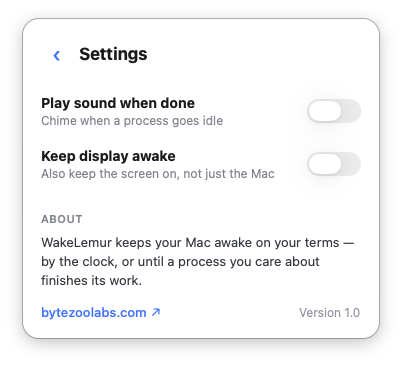
WakeLemur is made by ByteZoo Labs in Hamburg. Questions or feedback? [email protected]